How Data Engineers Can Use Python to Schedule BigQuery Queries
Learn how using Python to schedule BigQuery queries from a service account can save time and frustration for data engineers…
BigQuery provides guidance for using Python to schedule queries from a service account but does not emphasize why this is an important, if not overlooked step of automating and sustaining a data pipeline.
Service accounts are preferable to personal accounts because service accounts can be accessed by anyone on the team with the corresponding IAM role, meaning that even if someone in the organization leaves, their work can still be accessed, edited and scheduled with ease.
Below, I’ll provide guidance on using Python for scheduling queries and how to handle common pitfalls I’ve experienced in both Python and SQL.
Build Your Pipeline To A Data Engineering Career
You’ve reached the limit of the public preview. The full version of this post includes the implementation details: The code, the edge cases, and the "why" behind the architecture.
When you join PipelineToDE, you get:
- The DA → DE Pathway Course: A structured roadmap to bridge the gap between analysis and engineering.
- Weekly Senior Deep Dives: Fresh, tactical insights on Python, Cloud (GCP/AWS), and modern orchestration delivered every week.
- Production-Ready Blueprints: Access to 80+ protected stories and code repos from my time in the trenches as a Senior DE
- The DE Job Board (Coming Soon): Exclusive access to a curated board of high-agency Data Engineering roles.
Authenticate and Initialize Data Transfer
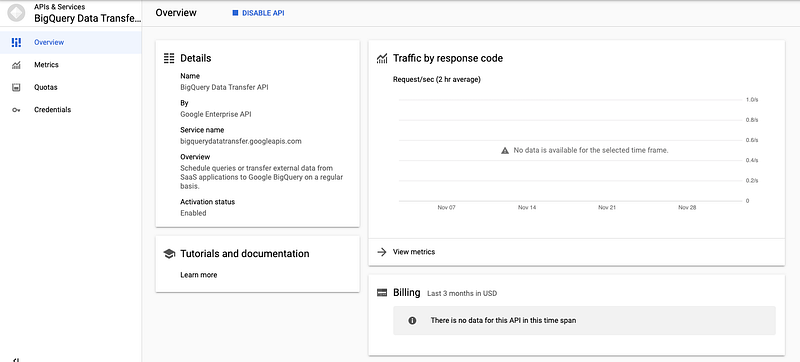
Before you proceed, ensure you authenticate with the credentials associated with your GCP project. You’ll also need to enable the Data Transfer API.
Next, install the BigQuery data transfer library with a simple pip install.
pip install google-cloud-bigquery-datatransfer
After you’ve authenticated and downloaded the necessary packages, you can set your project parameters.
from google.cloud import bigquery_datatransfer# Import logging to catch and report errors in logs.
import loggingtransfer_client = bigquery_datatransfer.DataTransferServiceClient()project_id = 'my_project'
dataset_id = 'my_data'
table_id = 'my_table'service_account_name = 'test-service-account.iam.gserviceaccount.com'
Although the official Google documentation doesn’t set a variable for table, it is easier to establish a table_id object to reference later in a dictionary.
Format SQL String
You can find the SQL string in the ‘Configuration’ section of the UI, along with the project, dataset, table and frequency parameters.

query_string = """
WITH article_info AS (
SELECT
INITCAP(title) AS article_title
,ups
,num_comments
,domain
FROM `ornate-reef-332816.reddit_news.r_news` AS r_news
) SELECT * FROM article_info
"""
If you’re performing this task at work, it is essential you take the time to understand the query you’re scheduling since you may not have written it. Test and format the query in BigQuery before deploying.
Keep in mind that you may have to reformat the query to understand and test it in BigQuery. Luckily, BigQuery will automatically format your queries with the shortcut command-shift-f (Mac users).
Note: If you’re working with regex in your queries, keep in mind that Python reads ‘\’ as an escape symbol. If you want to remove whitespace, for instance, you’ll want to use ‘\\\S’ even though BigQuery will give you an error. It’s a weird trick, but I promise it will save hours of frustration.
Scheduling, Testing and Deployment
The final part of the script I refer to as the plug and play portion. It’s simply a matter of plugging your parameters into Google’s template.
parent = transfer_client.common_project_path(project_id)transfer_config = bigquery_datatransfer.TransferConfig(
    destination_dataset_id=dataset_id,
    display_name="article_info",
    data_source_id="scheduled_query",
    params={
        "query": query_string,
        "destination_table_name_template": table_id,
        "write_disposition": "WRITE_TRUNCATE",
    },
    schedule="every 15 minutes",
)transfer_config = transfer_client.create_transfer_config(
    bigquery_datatransfer.CreateTransferConfigRequest(
        parent=parent,
        transfer_config=transfer_config,
        service_account_name=service_account_name,
    )
)
logging.info('Created article_info query.')
To me, the most important parameters are ‘display_name’, ‘write_disposition’ and ‘schedule.’ Display name will be how the query displays in the UI, write disposition specifies how the table will update and schedule denotes time.
In terms of output, your scheduled query can fail, be in progress or succeed.

Once your query succeeds, this is the output BigQuery will generate:

The full script is included below for context.
from google.cloud import bigquery_datatransfer
import logging
import os

os.environ["GOOGLE_APPLICATION_CREDENTIALS"]="********"transfer_client = bigquery_datatransfer.DataTransferServiceClient()
project_id='*****'
dataset_id='reddit_news'
table_id='r_news'service_account_name = '******.iam.gserviceaccount.com'query_string = """WITH article_info AS (
SELECT
INITCAP(title) AS article_title
,ups
,num_comments
,domain
FROM `******.reddit_news.r_news` AS r_news
) SELECT * FROM article_info"""parent = transfer_client.common_project_path(project_id)transfer_config = bigquery_datatransfer.TransferConfig(
    destination_dataset_id=dataset_id,
    display_name="article_info",
    data_source_id="scheduled_query",
    params={
        "query": query_string,
        "destination_table_name_template": table_id,
        "write_disposition": "WRITE_TRUNCATE",
    },
    schedule="every 15 minutes",
)transfer_config = transfer_client.create_transfer_config(
    bigquery_datatransfer.CreateTransferConfigRequest(
        parent=parent,
        transfer_config=transfer_config,
        service_account_name=service_account_name,
    )
)
logging.info('Created article_info query.')
Scheduling in Python appears simple, but like any Python/GCP task there are many potential pitfalls. I find it most helpful to understand the query I’m working with, double-check the parameters and read the logs.
To view the data used in this tutorial, see my previous article on building a Reddit News pipeline.
Keep Ingesting
You just finished a deep dive into BigQuery scheduling, which is one piece of the larger engineering puzzle. If you're ready to stop reading and start following a structured roadmap, head over to the DA → DE Pathway Course.
Your Recommended Module
- Module 5: Orchestration — Schedule and manage complex task dependencies to ensure pipeline reliability
Remember: As a member, you have full access to the source code for every project in the course. No extra fees, just execution.